

Requirements
- A Microsoft 365 Copilot licence.
- A Syrto account. Sign up at syrto.ai - a free tier is available, and full access to all tools and data requires a paid plan.
Connect the source
1
Open Copilot settings
In the Microsoft 365 Copilot app, click the gear icon at the bottom of the left sidebar, then choose Settings.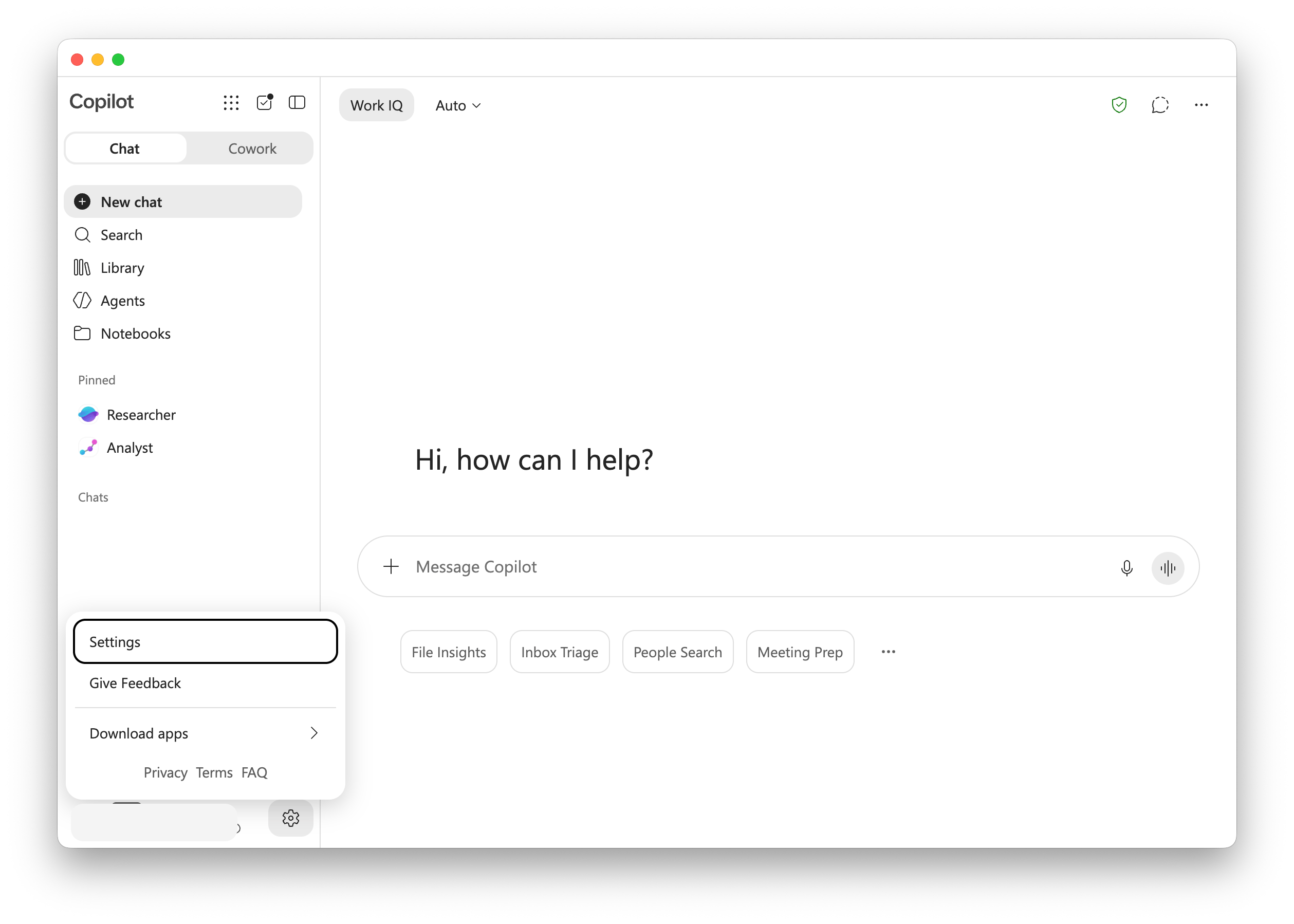
2
Go to Sources
Select Sources in the settings sidebar. This page lists the sources Copilot already uses and lets you browse for new ones.
3
Find Syrto
Under Browse sources, search for 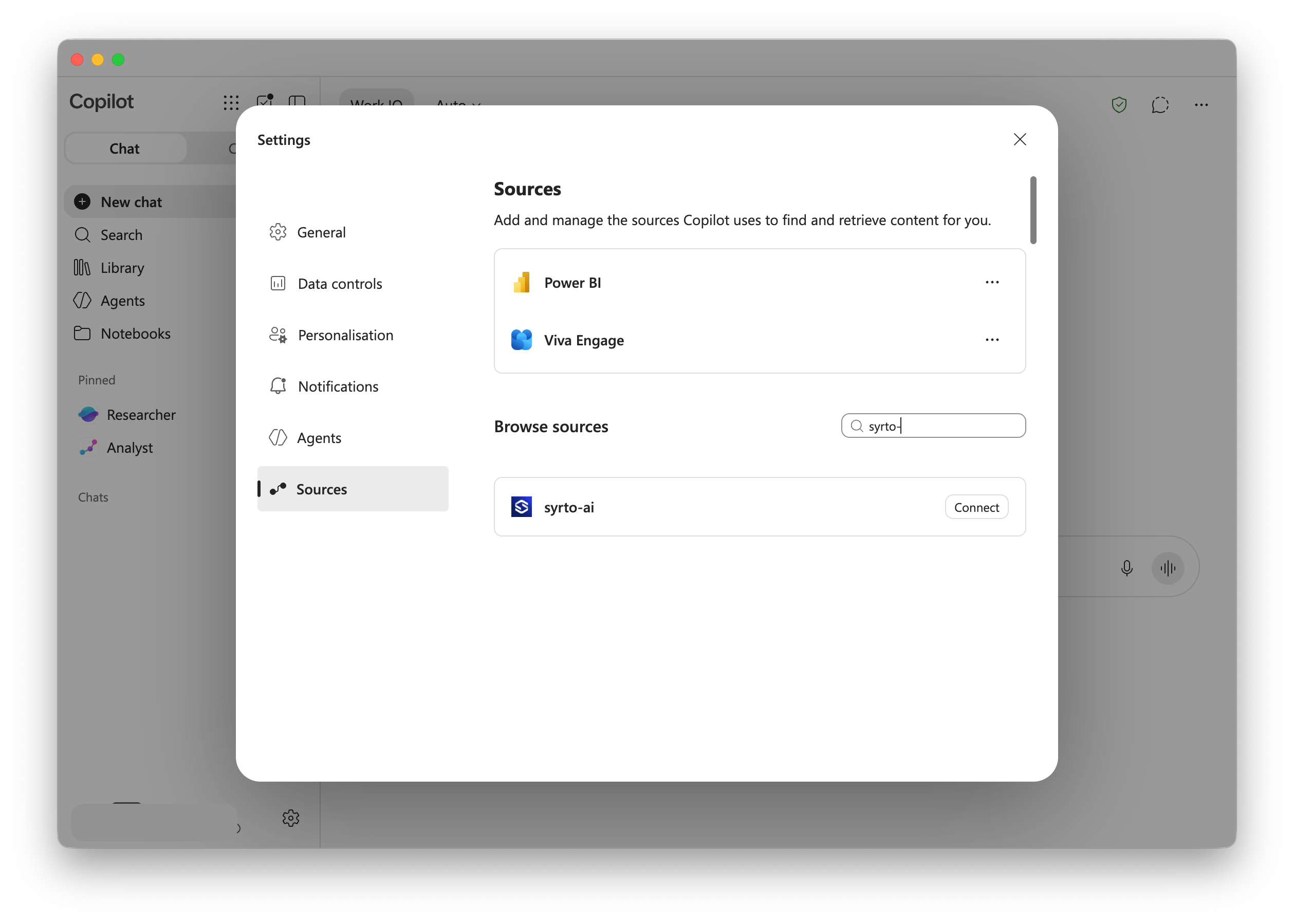
syrto. The syrto-ai source appears in the results.4
Connect and sign in
Click Connect. Copilot opens the Syrto sign-in flow - authenticate with your Syrto account and approve access.
5
Confirm it is connected
After signing in, syrto-ai moves into the list of connected sources at the top of the Sources page. Copilot can now use it.
If syrto-ai does not appear under Browse sources, your Microsoft 365 administrator may need to allow the connector for your tenant. Contact your IT team, or write to support@syrto.ai if you need help.
Use it in Copilot
Ask about Italian companies in plain language and Copilot will call Syrto when it needs the data. Some prompts to start with:- “Give me a full financial analysis of Ferrari.”
- “What was ENI’s revenue over the last 5 years?”
- “What are the Syrto radar scores for Leonardo?”
- “Generate the balance sheet for Pirelli for 2023.”
- “Compare Verallia and Vetreria Etrusca in terms of financial health and performance in 2024.”
Coverage and limits
- Syrto covers Italian companies only. Amounts are in EUR, and data availability and historical depth vary by company - missing values are returned as
N/A. - The connector is subject to the same per-account rate limits as every other Syrto MCP client.
Other clients
Set up another client
Connect Syrto to Claude, ChatGPT, or any MCP-compatible client.